
Site Boundary Location
Edit or redraw the site boundary on your map.
Steps
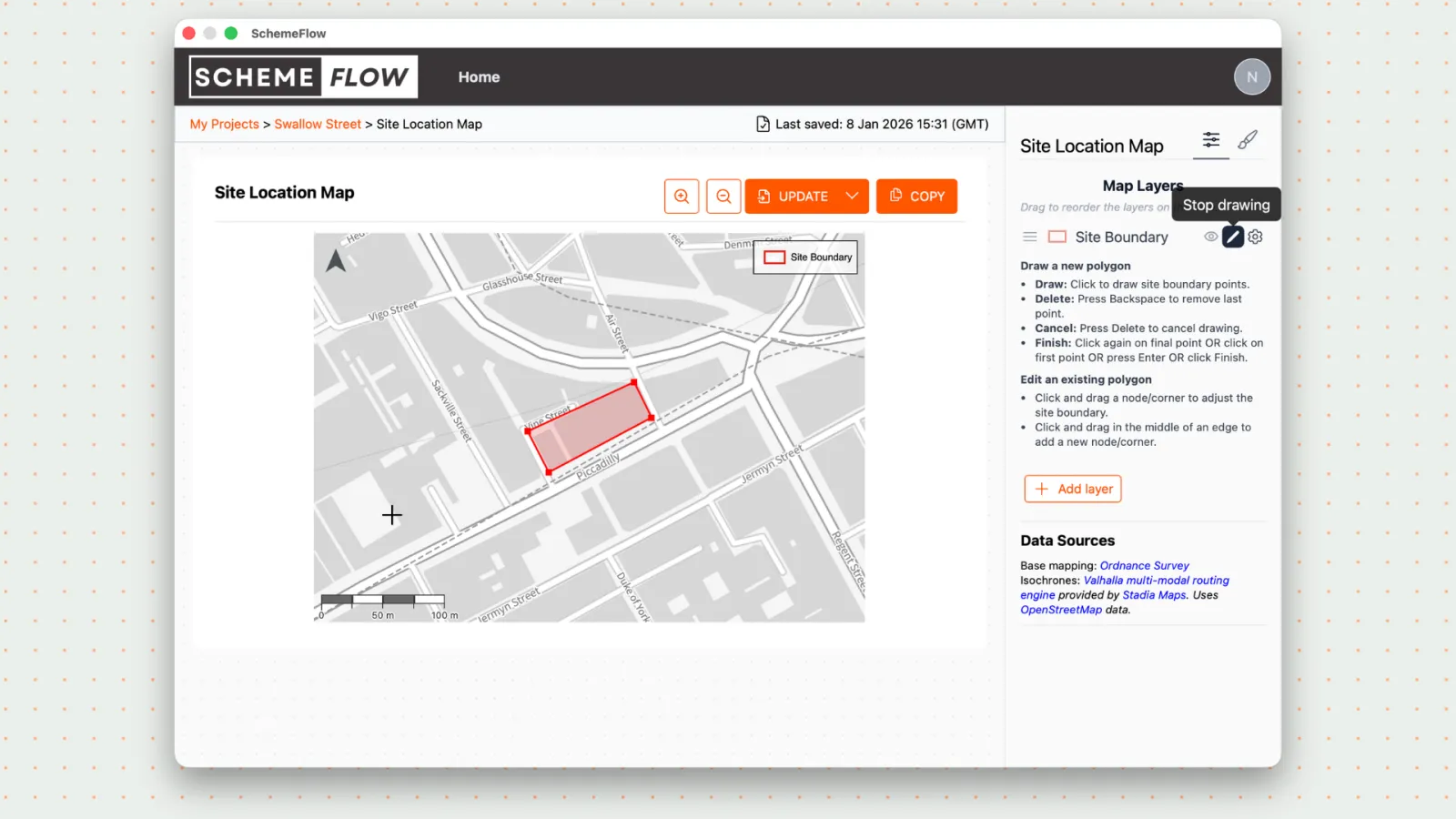
- Click Draw in the SchemeFlow Map on the map where you want to change the site boundary.
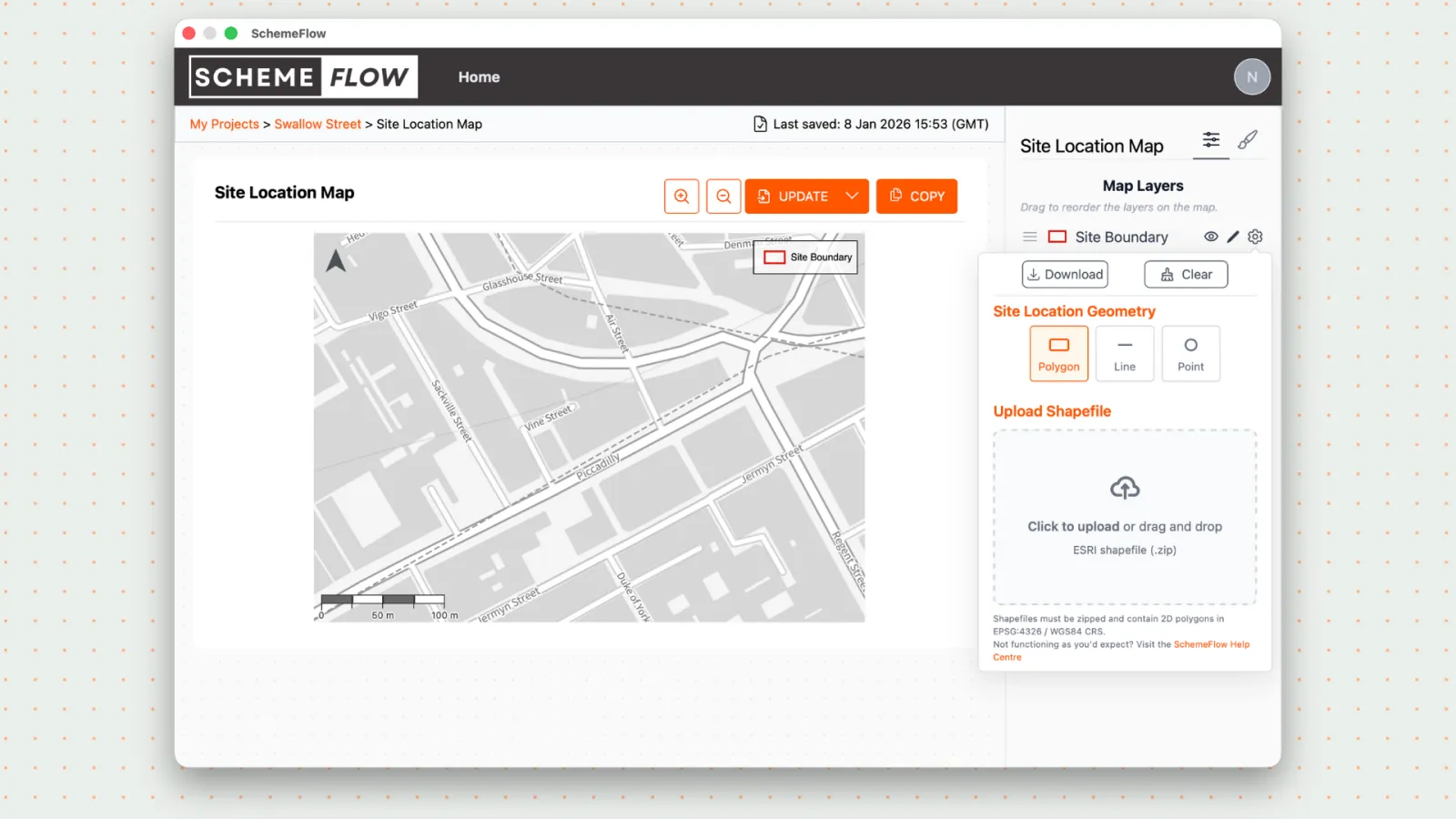
- To redraw the site boundary again, click Clear (under the cog icon) and choose one of the boundary geometry options.
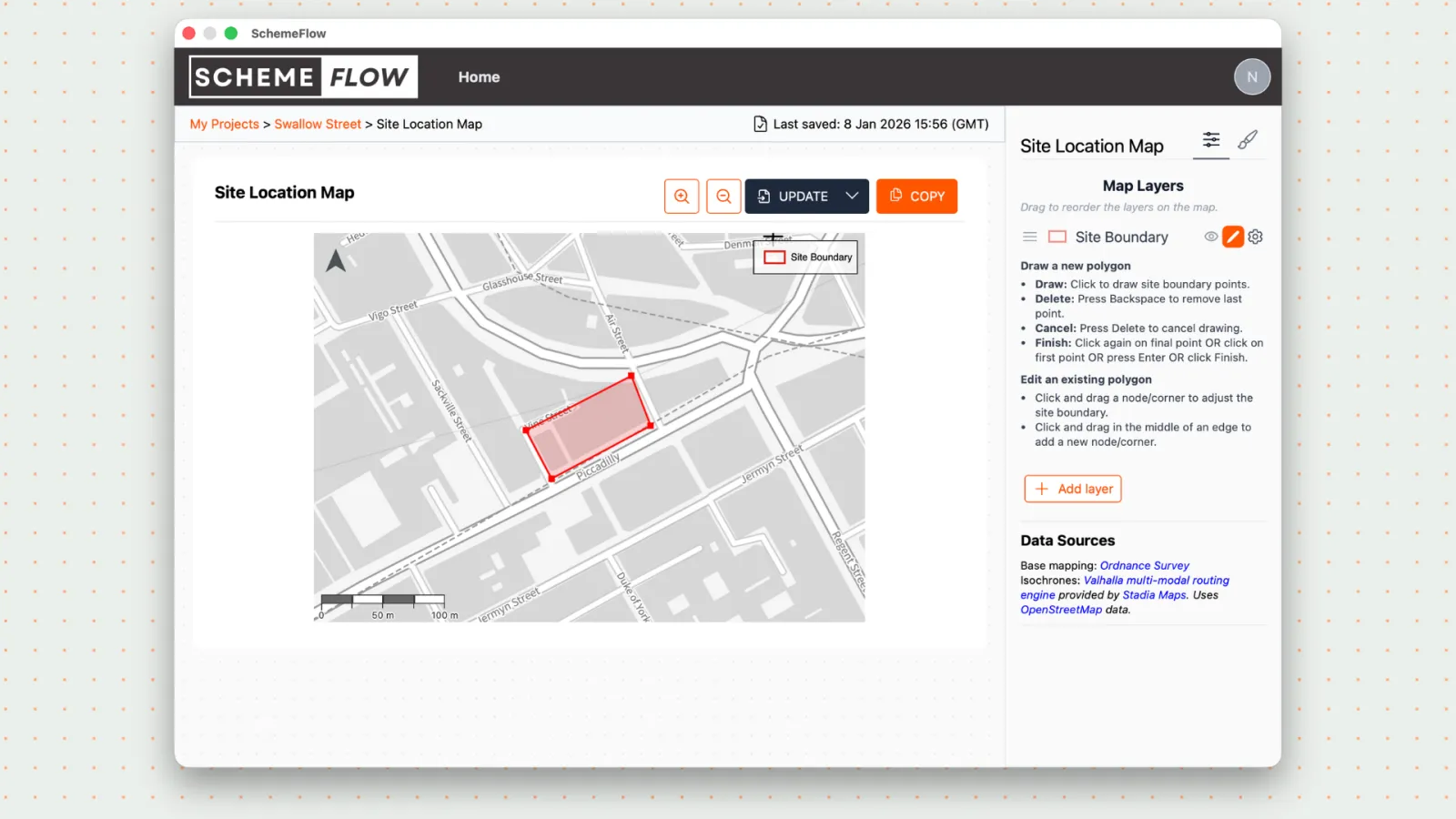
- When you're done, click Update to add the change into the report.
Notes
Edits to the site boundary will automatically sync across other maps. However, it will not re-insert updated map images into the document you're working on. To update other maps, open each map, to sync in the latest site boundary and click "Update".