
Data Library
Insert data layers from the data library onto your map.
Steps
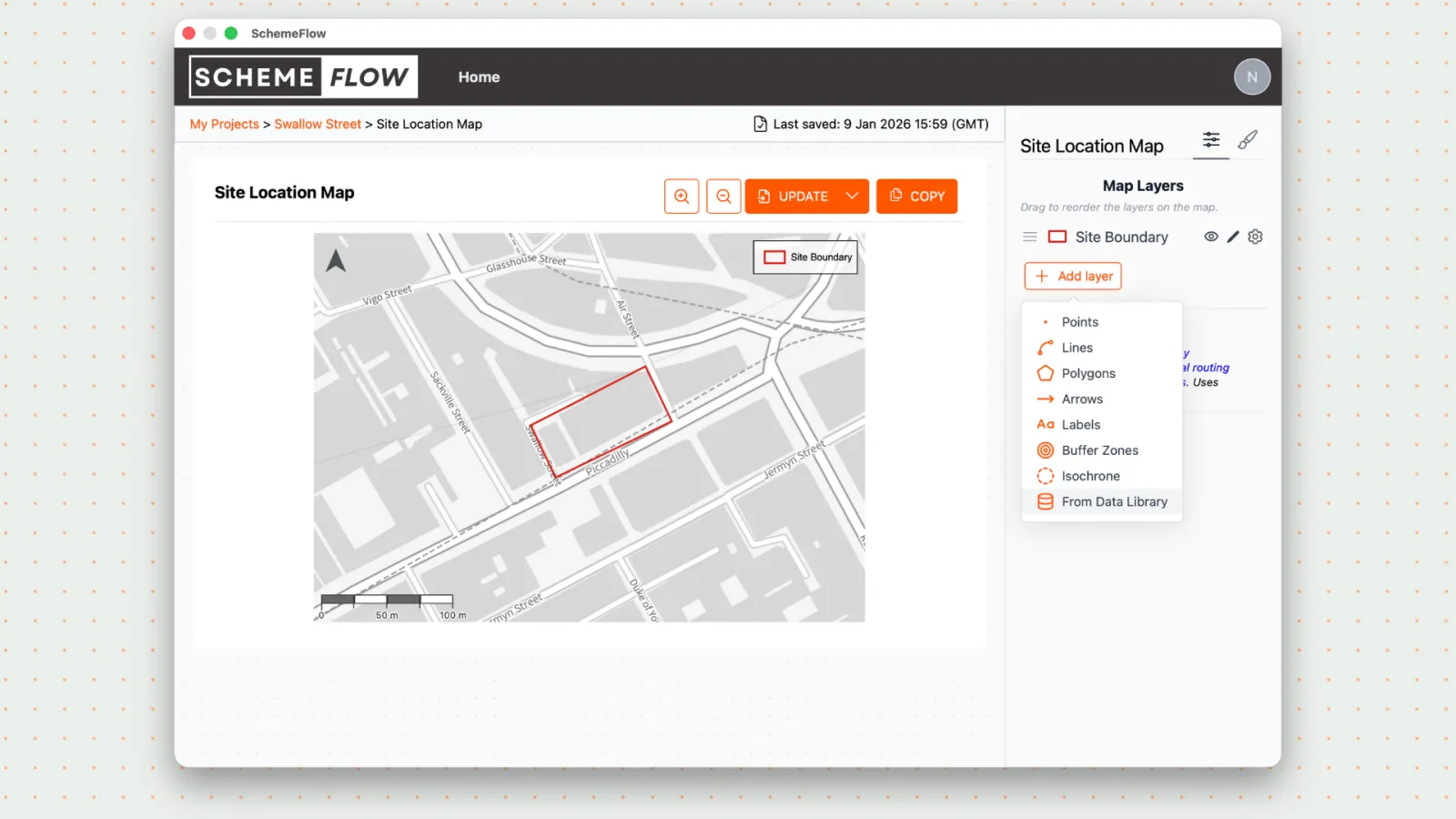
- Click Add Layer, then select From Data Library.
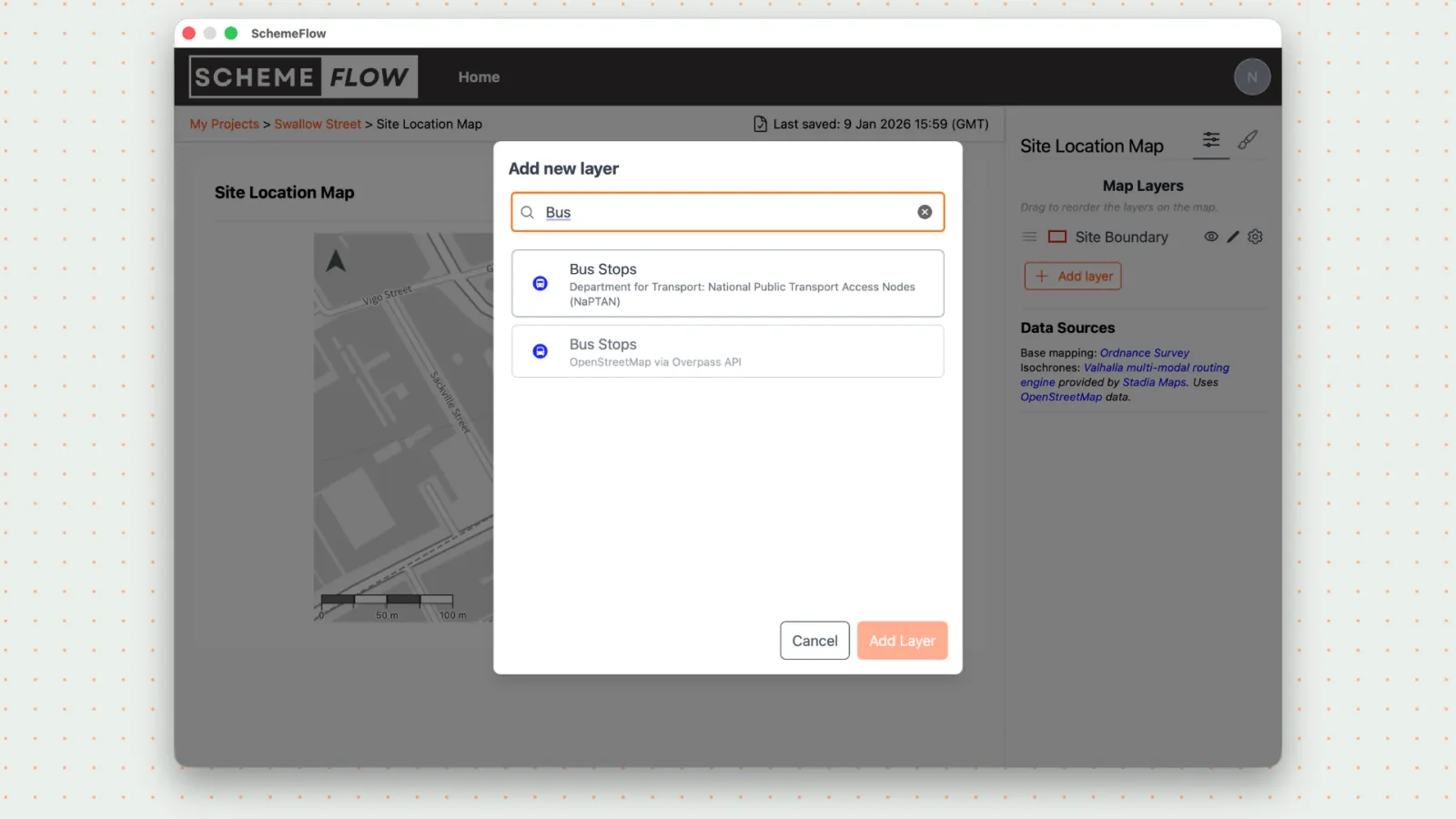
Browse or search the list of available data layers.
Select the data layer you want to add to the map.
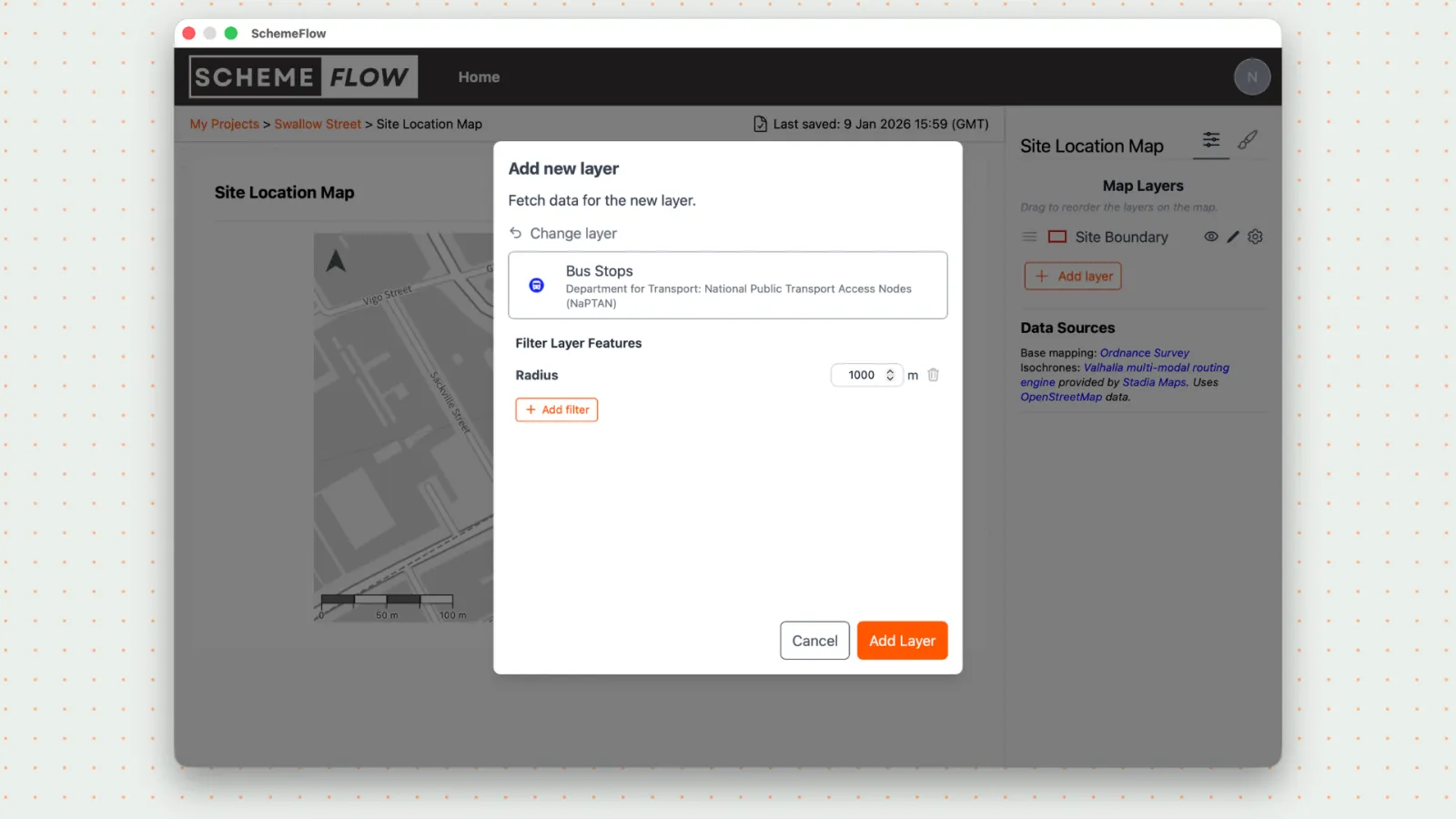
- If filters are available for the selected layer, apply them to refine what is shown on the map.
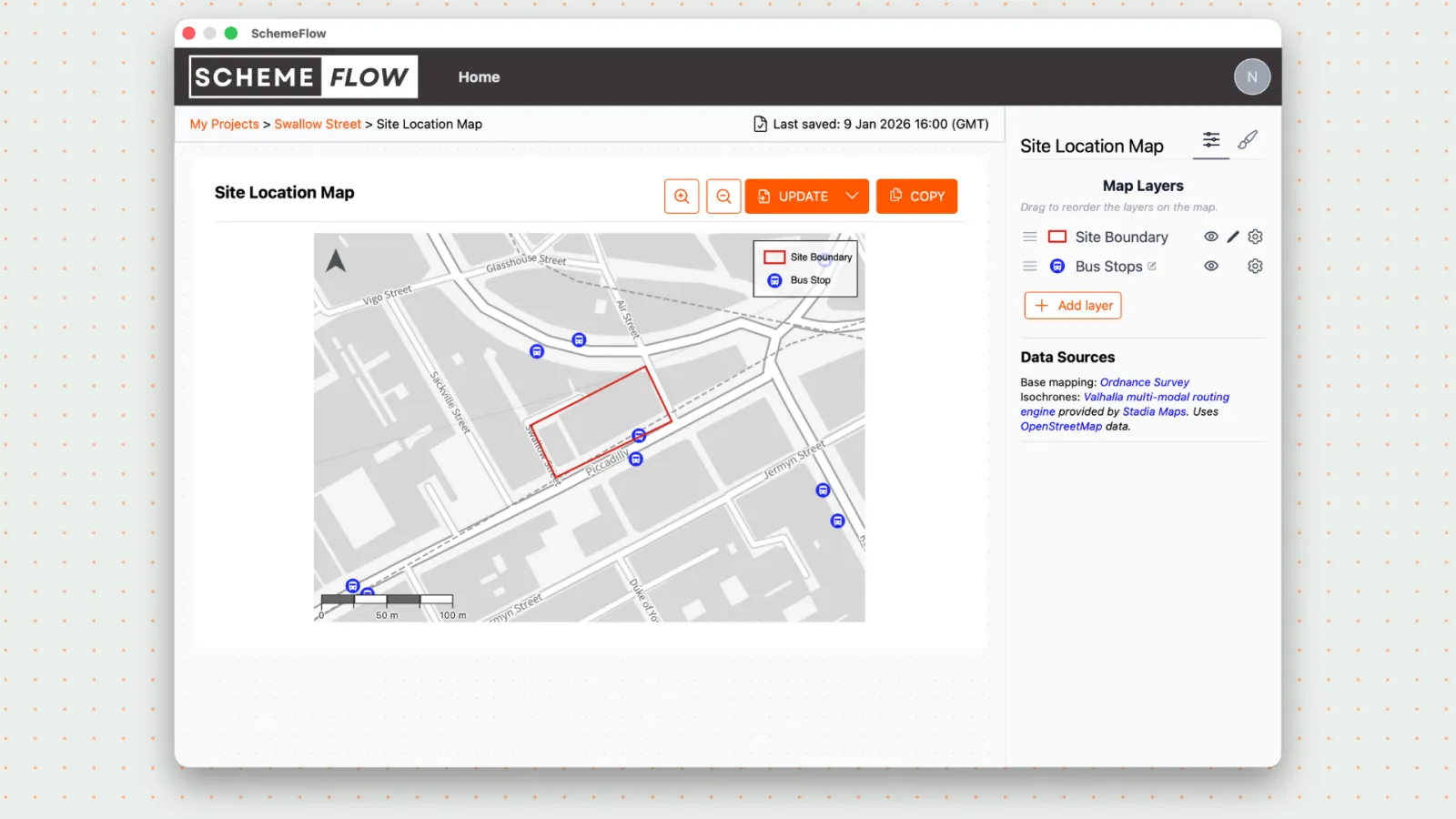
- When you're ready, click Update to insert the map into the document.
Notes
- Available filters depend on the selected data layer.
- Changes are not applied to the document until Update is clicked.