
Icons
Add, and style map icons (e.g., bus stops, rail stations).
Steps
- Click the icon you want to edit on the map. This opens the icon styling menu.
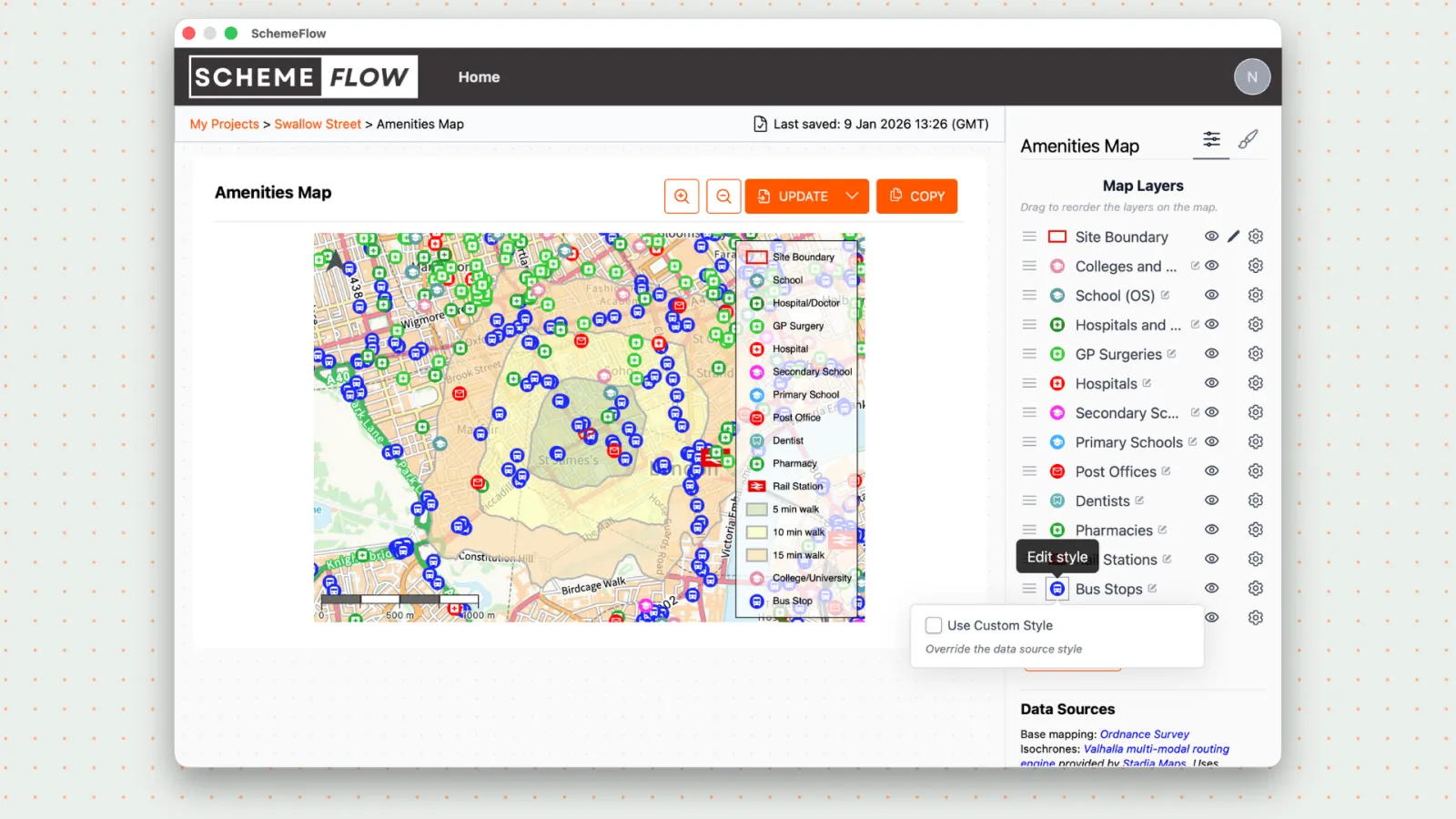
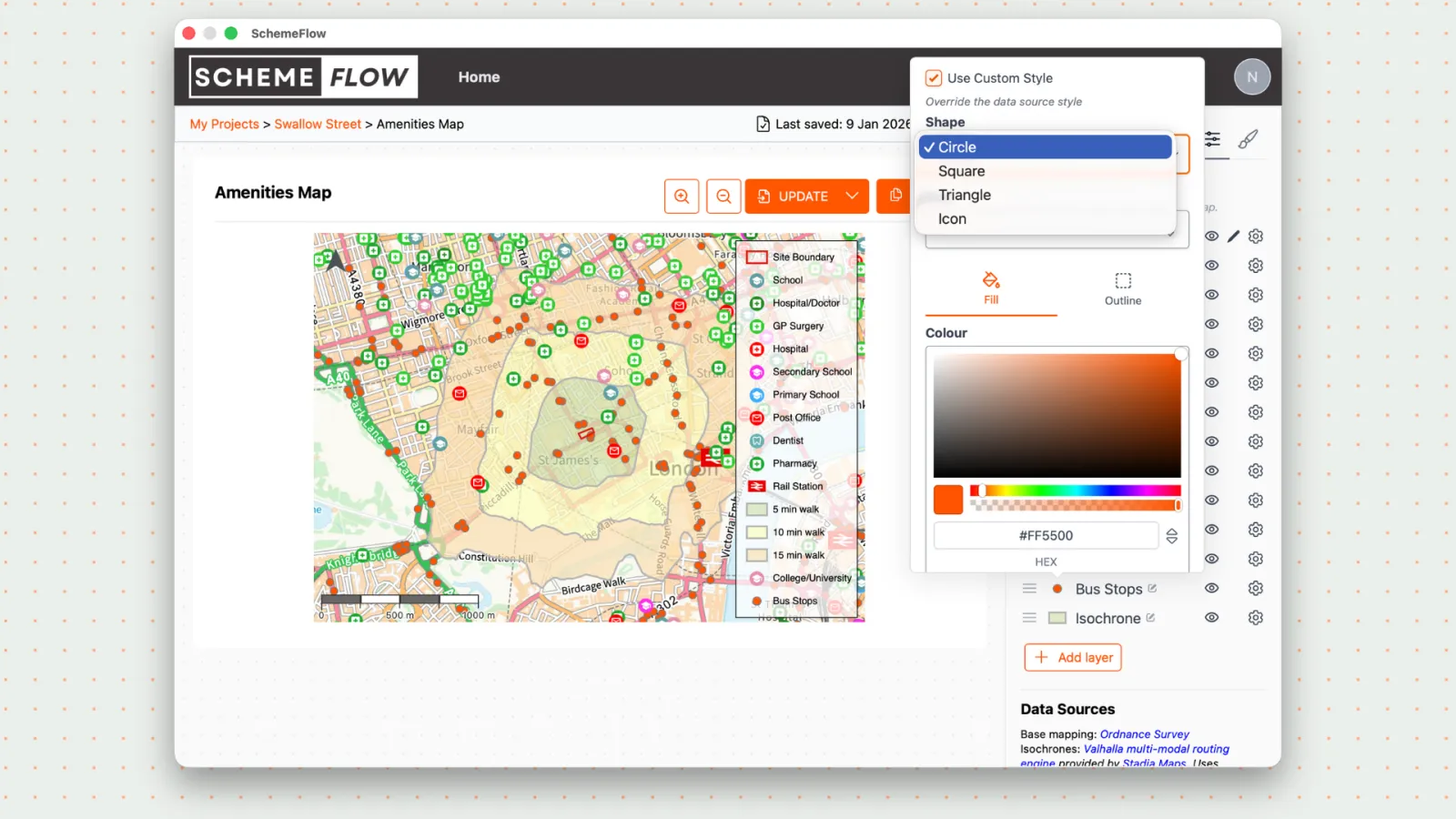
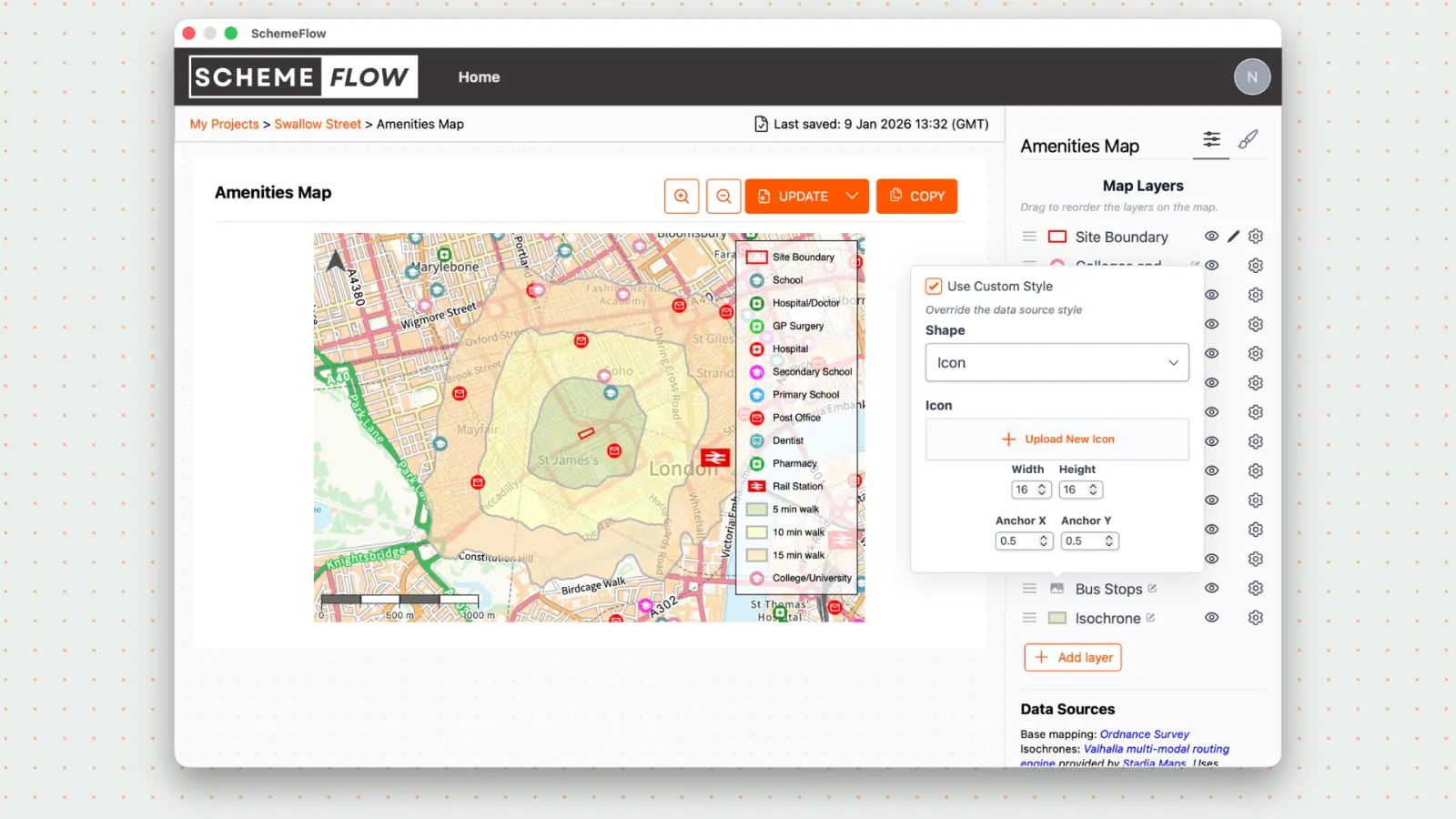
From the menu, customize the icon:
- Change the shape and color
- Upload a custom icon in PNG or SVG format
To save the icon styling, click the Paint Brush icon in the top-right corner.
Select Save Map Configs, then choose Company Styles to save the icon style.
Notes
- Custom icons should be clear and simple for best readability on maps.
- SVG icons are recommended for sharper scaling.