
Legend
Update the legend position, title, margins, and item order.
Steps
Click the Paint Brush icon to open Styles.
Select Legend to open the legend settings.
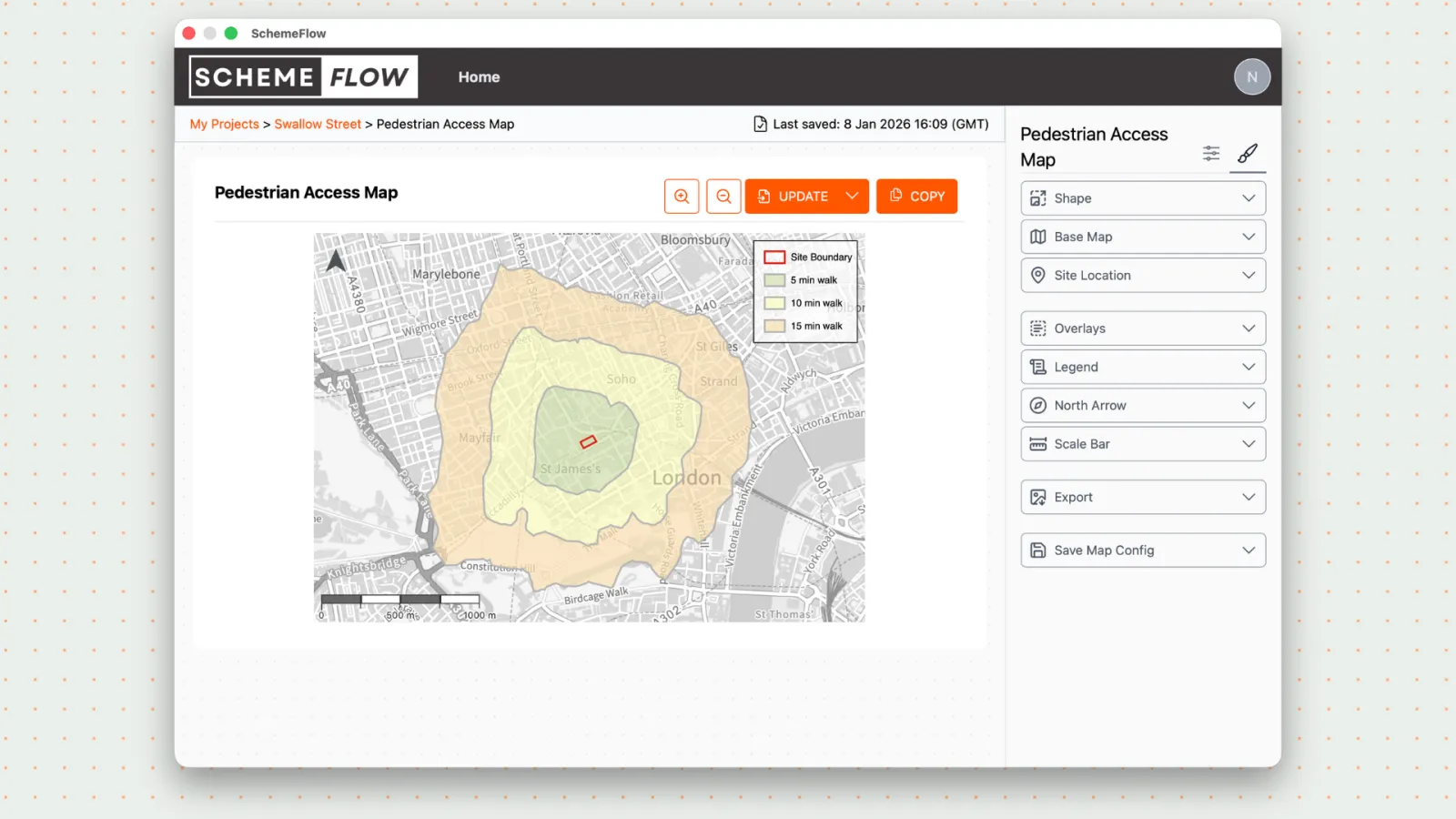
Update the legend settings as needed:
- Position (where it sits on the map)
- Margins (distance from the map edges)
- Title (legend name)
- Layout (where information sits inside the legend)
- Groups (group items to organize the legend)
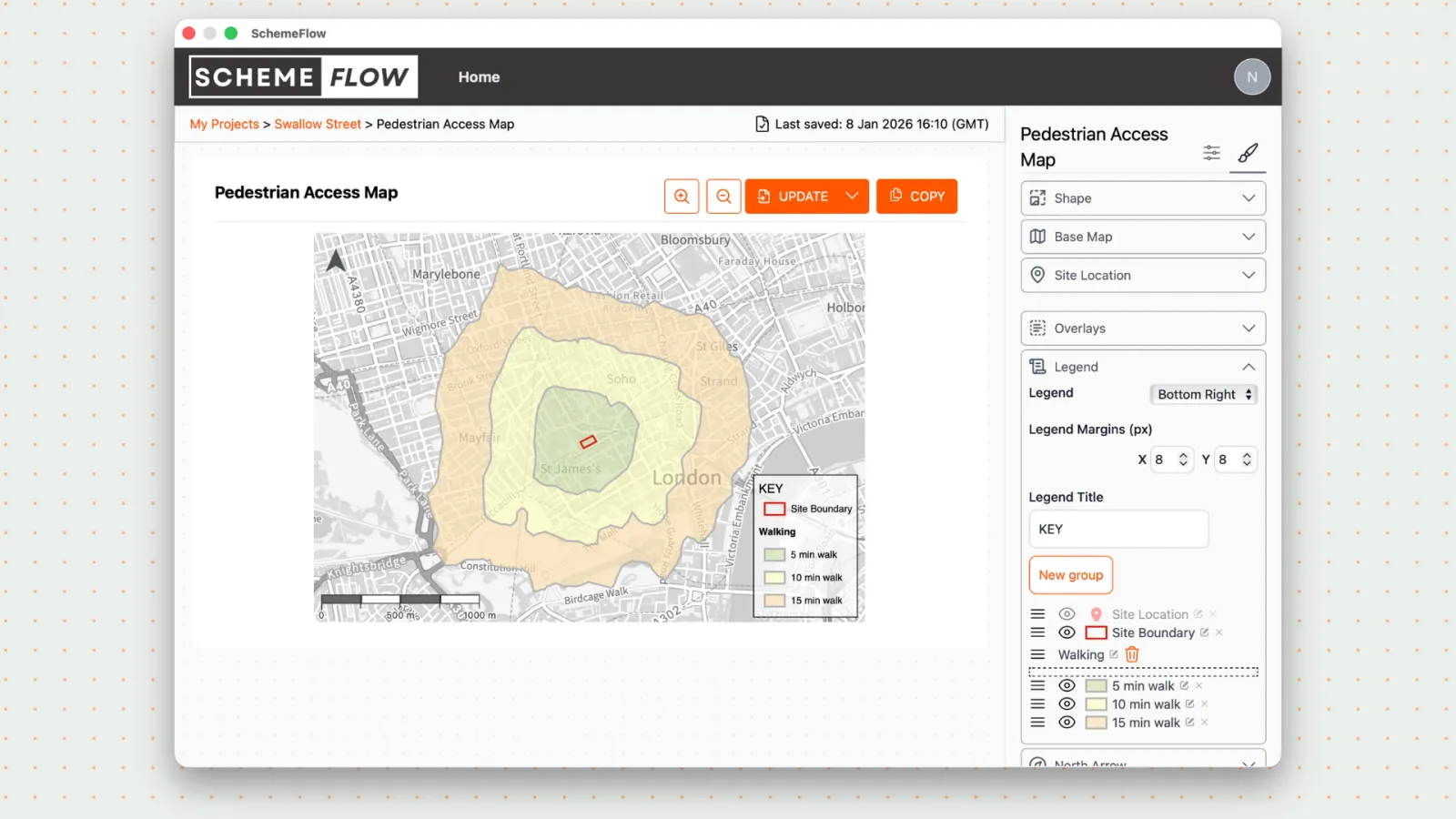
- To save the legend for this map, click Company Styles, then click Update to apply the new legend to your report.
Notes
Saving via Company Styles updates the legend styling for the current map.