
Base Map
Change the base map style and appearance.
Steps
Click the Paint Brush icon to open Styles.
Select Base Map.
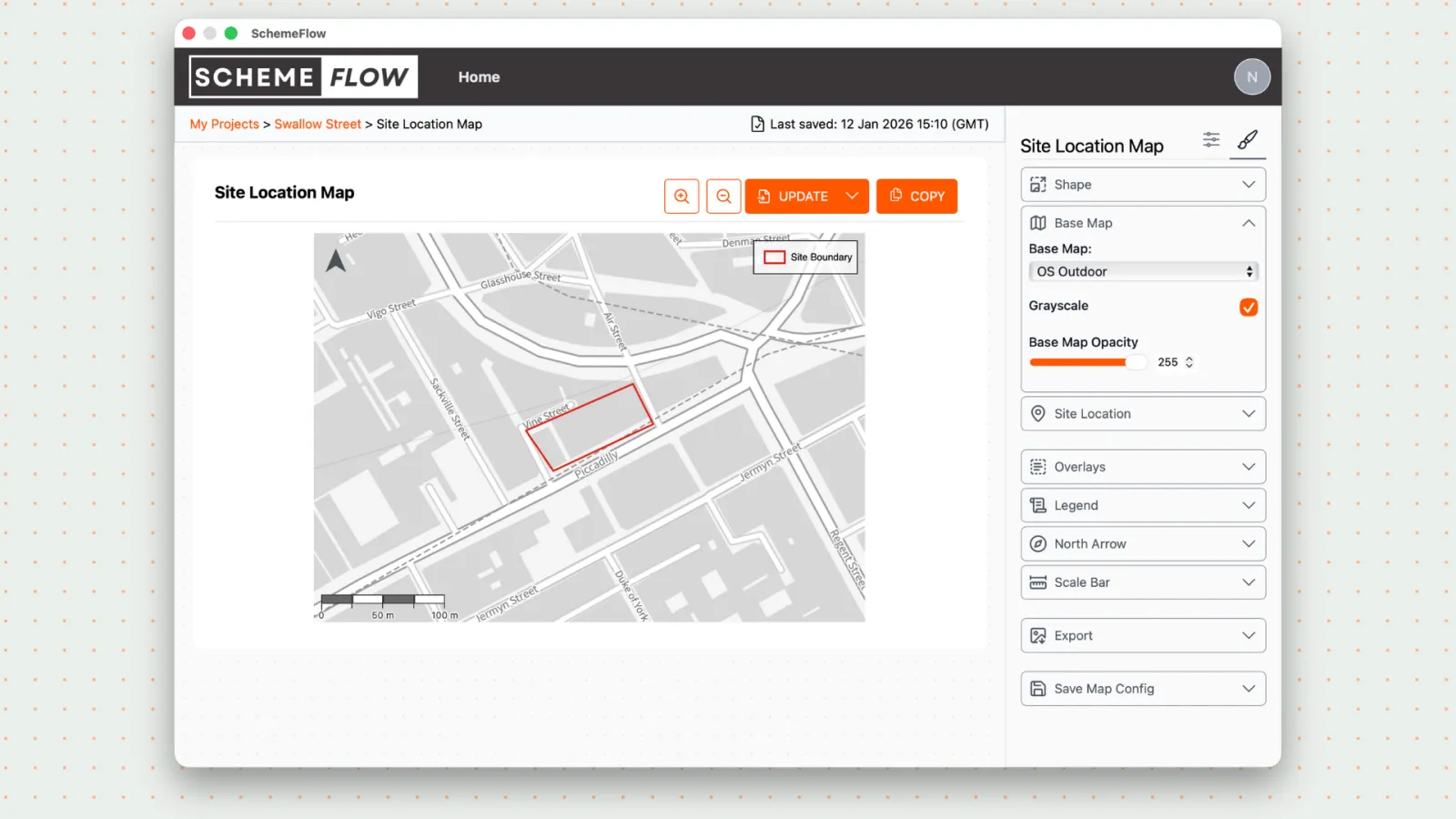
- Choose from the available base maps in SchemeFlow.
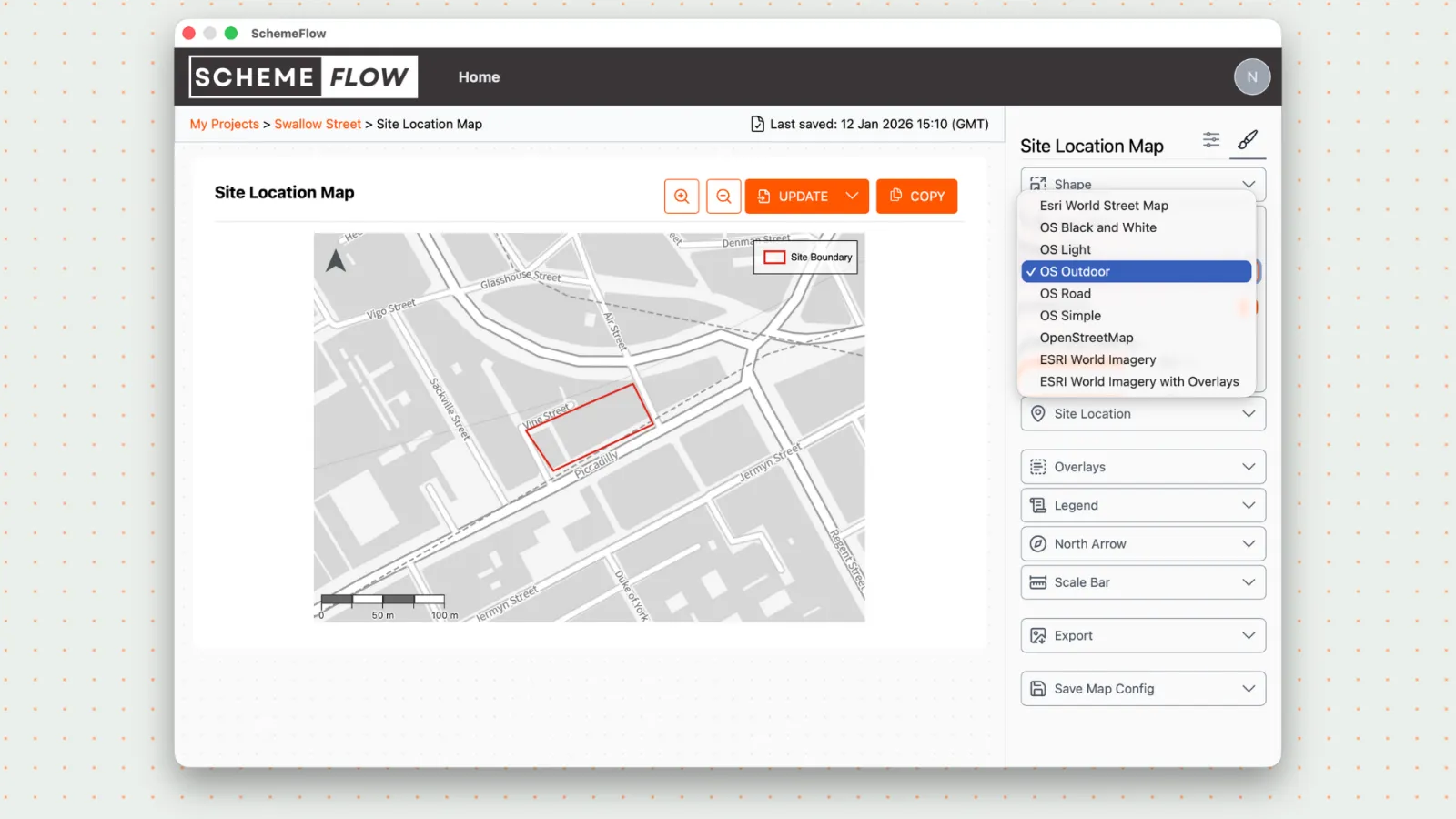
Adjust the base map settings:
- Enable greyscale
- Change the opacity
Click Company Styles to save the base map for this map.
Click Update to apply the changes to your document.
Notes
- If you'd like access to additional base maps, contact us at support@schemeflow.com.
- Changes will not appear in the document until Update is clicked.